Everything on your site is edited from one place: /cms/ on your
own address — for example https://yourname.names.legal/cms/. Sign
in with the account created when you subscribed, and bookmark that page. There
is no second admin, no separate app, no plugin to install.
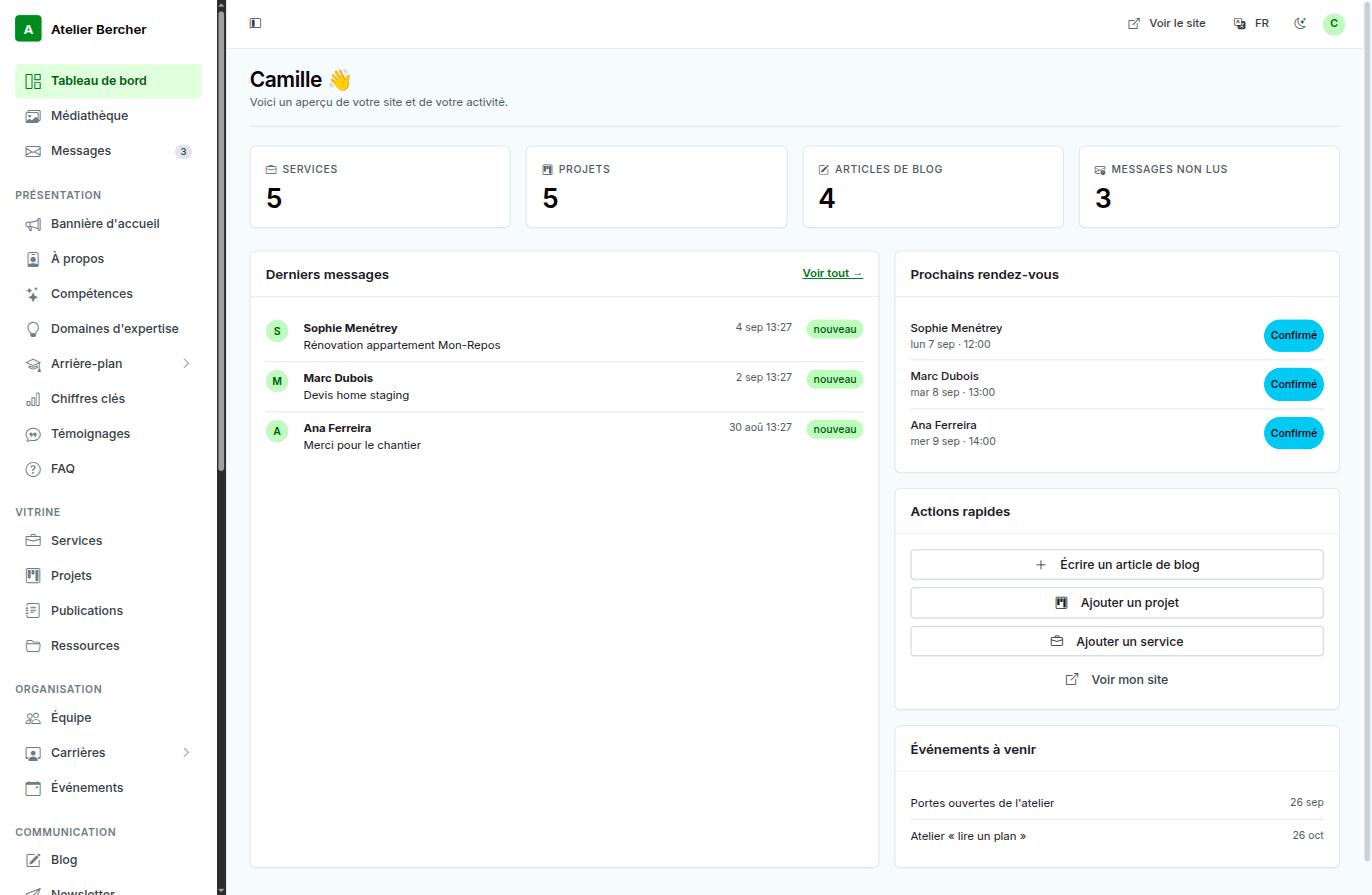
How the left menu is organised
The menu follows the order in which you work rather than the order the database is built in.
- Dashboard, Media library, Messages — what you open every week.
- Presentation — the home page: banner, about, skills, key figures, testimonials, FAQ.
- Showcase — services, projects, publications, resources.
- Organisation — team, careers, events.
- Communication — blog, newsletter, and the settings.
The four quick actions
On the right of the dashboard: write a blog post, add a project, add a service, view my site. They are there because they are the four things most people come back to do, and hunting for them in a menu is friction you should not have to pay every time.
Three levels of access
If you invite someone, choose the level deliberately — it is easier than undoing it later.
- Editor — the content of the site. Everything a person who writes needs, and nothing that costs money.
- Admin — the above, plus invoicing, domains, email, add-ons and site settings.
- Owner — the above, plus managing team accounts. This is your account.
An accountant needs Editor at most. A business partner who handles the subscription needs Admin.
The View site link at the top right opens your public site in a new tab. Use it after every change: what you see there is what your visitors see, and it is the only judge that counts.